
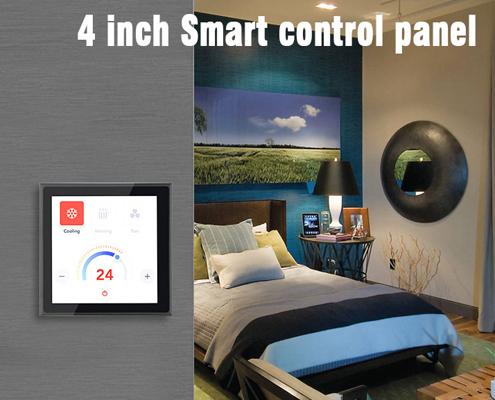
Installing a smart home control panel doesn't have to be complex—especially with the right guidance and hardware. Whether you're a DIY homeowner or a professional installer, the process can be smooth with a structured approach.
Step-by-Step Smart Home Control Panel Installation:
-
Choose a Location
Place the panel in a central, easy-to-access area—typically near an entryway, living room, or main hallway. -
Prepare the Power Supply
Most modern control panels, like those from Portworld, support PoE (Power over Ethernet) or standard AC power, reducing the need for multiple cables. -
Install the Mounting Bracket
Use the bracket provided to secure the panel to the wall. Portworld panels include universal wall brackets for quick alignment. -
Connect Wiring
-
PoE Panels: Plug in an Ethernet cable connected to a PoE switch.
-
Wi-Fi Panels: Connect to power and configure wireless settings.
-
Wired Integration: Connect to RS485, CAN Bus, or relay outputs if required.
-
-
System Setup
Power on the panel, then follow the on-screen setup:-
Connect to Wi-Fi
-
Pair with smart devices
-
Log into cloud platforms or local servers
-
Configure automation scenes
-
-
Test and Finalize
Ensure all devices respond correctly and the interface works smoothly. Customize the UI for your specific needs.
Portworld provides detailed installation guides and software support for OEM/ODM clients. With flexible sizes (4”, 5”, 7”, 10”) and OS options (Android/Linux), Portworld makes integration simple across smart homes, offices, and buildings.
Exploring the 880LMW LiftMaster Smart Control Panel and How Portworld’s Solutions Compare
How to Set Up a Smart Home Control Panel
How to Connect a Smart Home Control Panel with Alexa & Google Assistant
Why Are Smart Home Control Panels Becoming More Popular?
How Can I Choose a Smart Home Controller?
What Makes the Best Smart Home Control Panel Better for You?
How Portworld Empowers Smart Home Control Panel Distributors to Tackle Industry Challenges
Brilliant All-in-One Smart Home Control: 1-Light Switch Panel Dimmer

 English
 Arabic
 French
 Spanish
 Portuguese
 Deutsch
 Turkish
 Dutch
Dutch
 Russian
 Romaian
 Portuguese (Brazil)
 Greek
Greek
Warning: Undefined array key "_is_photo" in /home/senmarri/public_html/friend24.in/content/themes/default/templates_compiled/9ea4999d05077b6b690d81624544cd64a51b1299_0.file.__feeds_post.comments.tpl.php on line 27
Warning: Attempt to read property "value" on null in /home/senmarri/public_html/friend24.in/content/themes/default/templates_compiled/9ea4999d05077b6b690d81624544cd64a51b1299_0.file.__feeds_post.comments.tpl.php on line 27
" style="background-image:url(
Warning: Undefined array key "user_picture" in /home/senmarri/public_html/friend24.in/content/themes/default/templates_compiled/19bd7b5d2fc32801d9316dbc2d8c5b25c99e72c3_0.file.__feeds_comment.form.tpl.php on line 31
);">
/home/senmarri/public_html/friend24.in/content/themes/default/templates_compiled/9ea4999d05077b6b690d81624544cd64a51b1299_0.file.__feeds_post.comments.tpl.php on line 128
Warning: Attempt to read property "value" on null in /home/senmarri/public_html/friend24.in/content/themes/default/templates_compiled/9ea4999d05077b6b690d81624544cd64a51b1299_0.file.__feeds_post.comments.tpl.php on line 128
">