
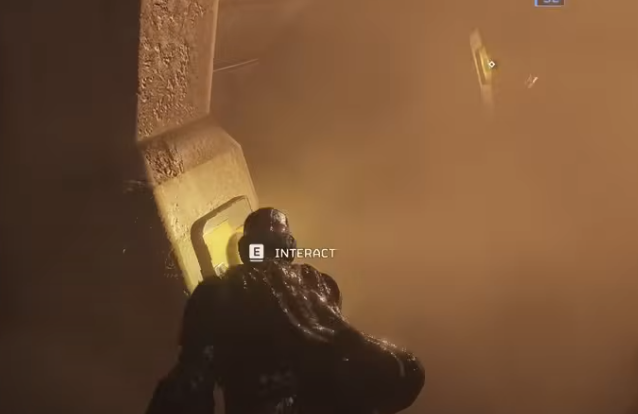
Q: What makes GeForce Now a good way to play Helldivers 2, and why do settings matter so much? A: Helldivers 2 can get surprisingly heavy on performance during chaotic firefights, massive bug swarms, and planetary effects. GeForce Now helps by running the game on stronger cloud hardware, but the stream quality still depends on how you tune your settings. With the right setup, you can cut down on input delay, avoid blurry picture quality, and keep combat readable when everything on screen is exploding. Think of it as fine-tuning your loadout before a mission: a few small tweaks go a long way.
Q: What are the most important GeForce Now streaming settings to adjust first?
A: The main things that affect how smooth Helldivers 2 feels on GeForce Now are frame rate, bitrate, and resolution. If you’re playing on a 1080p monitor, streaming at 1080p 60fps is usually the most stable option. For players on a 1440p or 4K display, it’s better to lock the stream to 1440p 60fps unless your connection is extremely stable.
Bitrate also influences clarity during heavy action. I’ve found that setting the bitrate to the maximum available helps reduce grass shimmering and improves visibility of distant enemies. If your connection fluctuates often, turning on the adaptive bitrate option can prevent sudden drops in quality.
Q: How does network stability affect gameplay, and what can players do to improve it?
A: Helldivers 2 is at its best when your inputs feel quick and responsive. On GeForce Now, that mostly depends on how stable your internet connection is rather than raw download speed. Even a fast connection can stutter if the Wi-Fi is crowded.
If possible, use a wired connection for the lowest latency. If that’s not an option, switching to the 5 GHz Wi-Fi band helps a lot. Some players even dedicate a device to test their connection quality before long sessions, especially when playing with friends. A smoother stream also makes it easier to follow the chaotic visuals when ordering stratagems or aiming weak-spot shots.
Q: What in-game settings should players change once inside Helldivers 2?
A: Even though GeForce Now handles the rendering, in-game settings still influence performance and readability. Motion blur is one of the first things I recommend turning down or off, because it can make quick movements harder to track on a streamed feed. Chromatic aberration and film grain don’t add much during the chaos of battle, so disabling them can give a cleaner image that’s easier to parse.
Shadows and ambient occlusion can stay at medium without affecting gameplay clarity. The biggest benefit comes from adjusting the field of view. Increasing it slightly helps you spot enemies approaching from the sides, but don’t push it too far or it can introduce distortion that looks worse during streaming.
Q: Is it helpful to adjust frame rate settings inside the game?
A: Yes, but mainly for smoothing out the stream. Setting Helldivers 2 to match the output of GeForce Now, like locking it to 60fps, helps prevent micro-stutter. The game doesn’t gain much from extremely high frame rates when streamed, so stability matters more than pushing the limit.
If you’re playing on a high refresh rate monitor, you can still benefit from the reduced latency, but don’t expect the streamed image to exceed the chosen GeForce Now setting. For most people, matching both to 60fps gives the most consistent feel.
Q: How can players improve clarity during chaotic battles?
A: A lot of readability issues come from streaming artifacts, especially when explosions fill the screen. Turning up sharpening inside GeForce Now helps keep edges clean. You can also raise sharpness in the Helldivers 2 menu if the picture still appears soft.
Brightness calibration makes a big difference too. Some planets are dark or filled with fog, and streaming compression can make shadows muddy. Raising the brightness one or two notches helps you see hidden bugs or bots without washing out the environment.
In one of my own sessions, this simple tweak made defending an objective at night way easier because I could finally track enemy silhouettes through smoke and particle effects.
Q: Is there anything players should avoid changing?
A: Avoid pushing resolution above what your connection can handle. It’s tempting to stream at the highest setting, but if your bitrate can’t support it, the video will smear during intense action. It’s better to run a stable 1080p or 1440p than a choppy 4K.
Also, don’t rely on filmlike filters such as depth of field or grain. They may look nice in cutscenes, but they make fast combat harder to follow in a streamed environment.
Q: How do these settings help if I’m grinding missions or farming in Helldivers 2?
A: When you’re running repeated missions or helping friends with leveling, stability and clarity matter a lot more than fancy visuals. Workshops, patrol zones, and defense missions throw waves of enemies at you, and having a crisp stream makes it easier to coordinate stratagems like Eagle strikes or airburst barrages.
This is also where small quality-of-life decisions matter. For example, if you occasionally buy helldivers 2 super credits to experiment with different gear trees, smoother gameplay helps you quickly compare armor perks or weapon performance during fast-paced runs. And since many players on GeForce Now hop between devices, consistent settings save time while swapping platforms.
Q: Can budget-focused players still get a good experience on GeForce Now?
A: Absolutely. You don’t need expensive hardware to run Helldivers 2 smoothly through the cloud. Even on a modest laptop, the game can look sharp as long as your connection is stable. I’ve played several missions on travel hardware, and while not perfect, it was far better than trying to run the game natively.
Some players look for ways to stretch their in-game resources or compare platforms like U4GM when trying out new cosmetic sets or armor paths. For those who want to buy helldivers 2 super credits cheap during sales or seasonal events, having reliable streaming settings helps ensure you actually get to enjoy the new gear without distracting performance issues.
Q: Any final tips for players who want the most stable experience?
A: Here are a few quick but meaningful improvements that have helped me throughout dozens of missions.
Use Ethernet if you can. A wired connection stabilizes latency and reduces sudden input delays. Keep your device close to the router if you’re on Wi-Fi. Physical distance matters. Avoid running other downloads or streams at the same time. Bandwidth spikes can cause visual hiccups. Match game fps to GeForce Now fps. Consistency beats theoretical maximums. Disable unnecessary graphics effects. Clarity makes a bigger difference in Helldivers 2 than fancy filters. Run occasional connection tests. A quick check before major operations can prevent mid-mission lag.
With these settings and tweaks, Helldivers 2 becomes far smoother and more responsive on GeForce Now. Whether you’re diving into late-game planets, grinding defensive missions, or helping squadmates push objectives, the right setup can make every firefight easier to read and every stratagem faster to input.
Limited-Time Rewards: G-13 Incendiary Impact – Helldivers 2 Tactical Analysis & Build Guide

 English
 Arabic
 French
 Spanish
 Portuguese
 Deutsch
 Turkish
 Dutch
Dutch
 Italiano
 Russian
 Romaian
 Greek
Greek
Warning: Undefined array key "_is_photo" in /home/senmarri/public_html/friend24.in/content/themes/default/templates_compiled/9ea4999d05077b6b690d81624544cd64a51b1299_0.file.__feeds_post.comments.tpl.php on line 27
Warning: Attempt to read property "value" on null in /home/senmarri/public_html/friend24.in/content/themes/default/templates_compiled/9ea4999d05077b6b690d81624544cd64a51b1299_0.file.__feeds_post.comments.tpl.php on line 27
" style="background-image:url(
Warning: Undefined array key "user_picture" in /home/senmarri/public_html/friend24.in/content/themes/default/templates_compiled/19bd7b5d2fc32801d9316dbc2d8c5b25c99e72c3_0.file.__feeds_comment.form.tpl.php on line 31
);">
/home/senmarri/public_html/friend24.in/content/themes/default/templates_compiled/9ea4999d05077b6b690d81624544cd64a51b1299_0.file.__feeds_post.comments.tpl.php on line 128
Warning: Attempt to read property "value" on null in /home/senmarri/public_html/friend24.in/content/themes/default/templates_compiled/9ea4999d05077b6b690d81624544cd64a51b1299_0.file.__feeds_post.comments.tpl.php on line 128
">