
Household and commercial technology makes daily living easier, but only if everything works correctly. When a smart lock refuses to open, an espresso machine loses pressure, or a refrigeration controller shows strange codes, frustration quickly follows. Fortunately, many of these issues can be solved at home with the right steps. Below are three common scenarios with practical solutions, based on user experience and manufacturer manuals.
How to Reset and Reprogram a Kwikset Smart Lock That Stops Responding
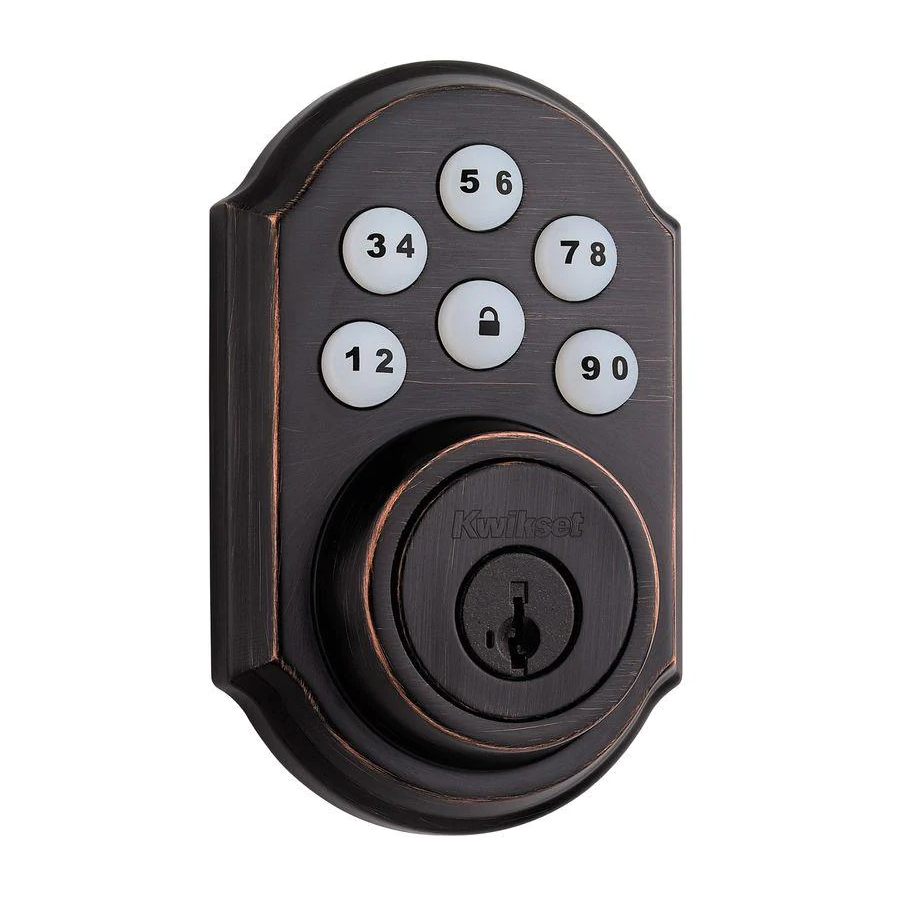
The Kwikset Halo Touchscreen Wi-Fi Smart Lock is designed for convenience and security, but it can sometimes freeze, reject codes, or stop responding altogether.
How to Start with the Batteries
Most issues stem from weak or dead batteries. If the keypad lights up but the lock doesn’t turn, replace the four AA batteries with fresh, high-quality ones. Always avoid mixing old and new batteries because uneven power can cause glitches.
How to Reprogram User Codes
Sometimes the problem lies in user code programming. The kwikset smart lock manual explains the exact sequence: press the program button, enter the master code, and then input the new user code. A beep confirms success. Deleting old codes is also important if the lock has stored too many.
How to Perform a Factory Reset
If reprogramming doesn’t help, reset the lock completely. Press and hold the program button on the interior unit for 30 seconds until the lock beeps and flashes red. Release, then press again briefly to finalize the reset. Afterward, you’ll need to re-add codes and reconnect the lock to Wi-Fi.
How to Deal with Wi-Fi and App Issues
Connectivity problems can also lock you out. Restart your router and check if the lock reconnects automatically. If not, delete the lock from the app and re-add it. The manual provides instructions for pairing with Alexa or Google Home for remote access.
How to Fix Weak Pressure on a Breville Espresso Machine
Brewing espresso is as much about art as it is about mechanics. Machines like the Breville Barista Pro BES878 sometimes produce watery shots or struggle to build pressure, leaving coffee lovers disappointed.
How to Adjust the Grind Size
Espresso requires finely ground beans. If the grind is too coarse, water flows through too quickly, resulting in a weak shot. Adjust the built-in grinder to a finer setting and ensure beans are fresh.
How to Correct Tamping Technique
Uneven or light tamping can create channels in the coffee puck, letting water escape too quickly. Use steady, firm pressure when tamping—ideally around 30 pounds. Some Breville models include a tamper for this purpose.
How to Clean and Descale Regularly
Scale buildup from hard water is another common culprit. Run a descaling cycle with the recommended solution. The breville espresso machine manual gives precise instructions on how to insert the cleaning disc and how often to descale based on usage.
How to Check the Pump and Steam Wand
If pressure is still low, the machine’s pump may need priming. Follow the manual’s steps for flushing the system before assuming mechanical failure. The steam wand should also be cleaned after every use to prevent clogs that affect water flow.
Extra Tip: Preheating the Machine
Allowing the espresso machine to warm up before brewing ensures stable pressure and temperature. A two- to three-minute warm-up is usually enough, but Breville manuals recommend longer for perfect results.
How to Troubleshoot a Dixell Controller Showing Error Codes
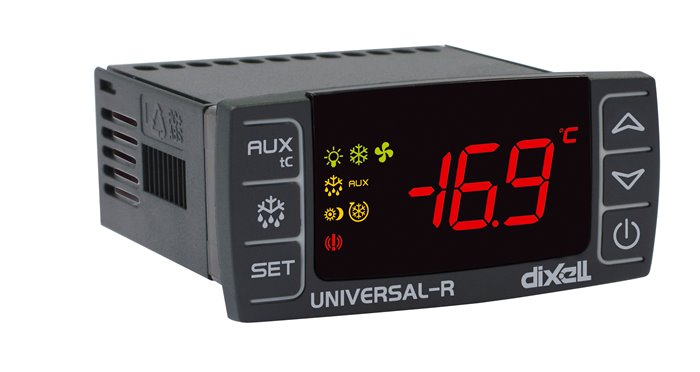
Dixell controllers are widely used in refrigeration systems to manage temperature and prevent spoilage. The Dixell XR60CX model, for example, is a common sight in restaurants and supermarkets. When the screen shows unexpected error codes, panic sets in, but the fixes are often straightforward.
How to Interpret Common Error Codes
-
“E1” usually means a problem with the probe connection. Check the wiring to make sure the temperature probe is properly attached.
-
“E2” may indicate a defrost sensor issue. Ensure the defrost probe is positioned correctly and isn’t covered in ice.
-
“EE” often signals parameter corruption. In this case, reloading factory settings may be required.
How to Reset the Controller
Press and hold the “SET” button for a few seconds, then navigate through the menu options. Look for “rSt” or “default” and confirm with the “SET” button. The dixell controller manual outlines exactly how to restore factory parameters without affecting wiring or external components.
How to Calibrate Temperature Readings
If the displayed temperature doesn’t match actual conditions, adjust the offset settings. For example, if the room is at 4°C but the controller shows 6°C, set the offset to -2. The manual provides a chart of parameters like “CnF” (configuration) and “rEL” (relay function).
How to Prevent Future Errors
Regular maintenance reduces errors significantly. Clean sensor probes, check wiring for corrosion, and ensure the cooling unit isn’t overloaded. Following the preventive guidelines in the manual helps extend the lifespan of the system.
Everyday Lessons in Appliance Troubleshooting
Smart locks, espresso machines, and refrigeration controllers may seem complicated, but most malfunctions boil down to power, cleaning, or calibration. My Kwikset lock only needed a reset and reprogramming guided by the kwikset smart lock manual. The espresso machine required grind adjustments, descaling, and tips found in the breville espresso machine manual. The Dixell controller displayed cryptic codes, but the dixell controller manual explained them in detail, turning panic into confidence.
Learning to troubleshoot these devices saves both time and money, but more importantly, it builds independence. Each manual is more than just technical jargon—it’s a map that guides you through frustration back to functionality. And the more familiar you become with your appliances, the less intimidating each new problem will feel.

 English
 French
 Spanish
 Portuguese
 Deutsch
 Turkish
 Dutch
Dutch
 Italiano
 Russian
 Romaian
 Portuguese (Brazil)
 Greek
Greek
Warning: Undefined array key "_is_photo" in /home/senmarri/public_html/friend24.in/content/themes/default/templates_compiled/9ea4999d05077b6b690d81624544cd64a51b1299_0.file.__feeds_post.comments.tpl.php on line 27
Warning: Attempt to read property "value" on null in /home/senmarri/public_html/friend24.in/content/themes/default/templates_compiled/9ea4999d05077b6b690d81624544cd64a51b1299_0.file.__feeds_post.comments.tpl.php on line 27
" style="background-image:url(
Warning: Undefined array key "user_picture" in /home/senmarri/public_html/friend24.in/content/themes/default/templates_compiled/19bd7b5d2fc32801d9316dbc2d8c5b25c99e72c3_0.file.__feeds_comment.form.tpl.php on line 31
);">
/home/senmarri/public_html/friend24.in/content/themes/default/templates_compiled/9ea4999d05077b6b690d81624544cd64a51b1299_0.file.__feeds_post.comments.tpl.php on line 128
Warning: Attempt to read property "value" on null in /home/senmarri/public_html/friend24.in/content/themes/default/templates_compiled/9ea4999d05077b6b690d81624544cd64a51b1299_0.file.__feeds_post.comments.tpl.php on line 128
">